New: Kinetic 1.0

Your own props, animated with timing you can see.

Pick a recipe or keep your own keys, then stack anticipation, overshoot, squash and nine more layers with their own sliders. Drive them with a field, land them on the beat, draw a path on. In Blender and in Kinetic Studio in your browser.

Blender 4.4 or newer on Windows, macOS and Linux.

LiveTry Kinetic
the real engine

The full tool adds Your own props in Blender 104 recipes Twelve layers Fields and export

104recipes in the library
12principle layers
9moods
7exploded-view patterns
9draw-on path shapes
Capabilities

Layers, recipes, paths, fields, beats, takes.

Six parts, in the order you use them. Each one works on objects already in your scene.

Principle layers

1Anticipation, overshoot, squash: as layers.

Twelve layers sit on a recipe or on your own keys, each with its own sliders, and an idle layer says why. Pick one of 9 moods to set the stack in one click.

  • The twelve principles: 12 layers, a staging helper, a volume check and 9 moods.
  • Layer my animation adds layers to your keyed move and leaves your keys unchanged.
  • Secondary makes child parts follow and lag the main move; Restore takes layers off.
Anticipation, then overshoot, then follow-through: the strobe shows each layer's timing.
Recipes and exploded views

2Start from a recipe, a move or an exploded view.

104 recipes: hops, hinges, nods, pops, entrances and exits, and 8 sequences such as Product Hero. Exploded views come apart in tiers from your collections, without overlaps, and come back in reverse.

  • Pick a target: the selection, a collection, or a group that turns as one.
  • Pivots on 27 anchors of the object's bounds, for hinges and lids.
  • 7 exploded-view patterns, seeded; save a recipe as a file.
Four recipes, one click each: rock, pop, flip and spin.
Draw-on paths

3Paths draw themselves on, with the layers.

Pick one of 8 shapes or draw your own curve in the view, and it draws itself on. The tip takes the same layers as a move: it anticipates, overshoots its end and settles.

  • Tube, ribbon or your own profile, with taper and caps.
  • Several strokes stagger by order, or one per beat.
  • Baked to shape keys, so the reveal plays in a GLB.
A path draws on with anticipation and overshoot, then rewinds.
Fields

4A field sets how hard each object acts.

Move a ball or an empty past a group: the nearer each object, the stronger its anticipation and overshoot, and the sooner it starts. The field shows in the view, so you see its reach.

  • 5 falloffs, an inner radius and invert.
  • Links: one object's turn drives another's, without stacking drivers.
  • Swarm layouts on a grid, circle, curve or scatter, with time offsets.
One distance field sets each flap's anticipation, overshoot and start.
Sound and beats

5Moves and staggers start on the beat.

Load a track and Kinetic marks its tempo and beats on a ruler in the timing ribbon. Snap a stagger to the beats and each object lands on one; a layer can accent the downbeat.

  • Bands from bass to treble drive a layer's amount, with attack and release.
  • Kick markers are labelled preview: under a busy bass line they can miss.
  • In Kinetic Studio too, with tap tempo.
123 BPM: each block lands on its beat.
Timing and takes

6Stagger a group, keep the take, export it.

Offset a collection by order, distance or height, chain clips one after another, and loop them without a seam. Check a take against 6 export profiles, then export a GLB or FBX.

  • 14 easing presets, or draw your own curve.
  • Takes to compare versions; loops checked for a seam.
  • Six profiles: Unity (FBX or glTF), Unreal, Godot, the web and a generic GLB; Remove puts the object back.
A centre-out stagger: 49 tiles, one take, ready to export as a web GLB.
See it in use

In the sidebar, and in your browser.

Three short clips with captions. Each one plays when you scroll to it.

Blender0:18
Pick, apply, layer In Blender: select a prop, apply a hop, add overshoot, read why a layer is idle.
Blender0:36
Your keys, plus layers In Blender: layer your own keyed bounce, compare, then Restore it.
Web0:27
Studio to Blender In Kinetic Studio: build a recipe and send it to Blender on the live link.
How it works

Try it here, carry on, finish in Blender.

Try it here

Drop in your own GLB or pick a prop in the demo above, then move the sliders.

Back to the demo

Kinetic Studio in your browser

Your demo settings open in the Studio, with the 104 recipes, stagger, exploded views, fields, beats and draw-on paths.

Open Kinetic Studio

Blender

Send the recipe to Blender on the live link, or open the same recipe file in the add-on.

Get it for Blender
Everyday objects

Doors, lids, gears and lamps.

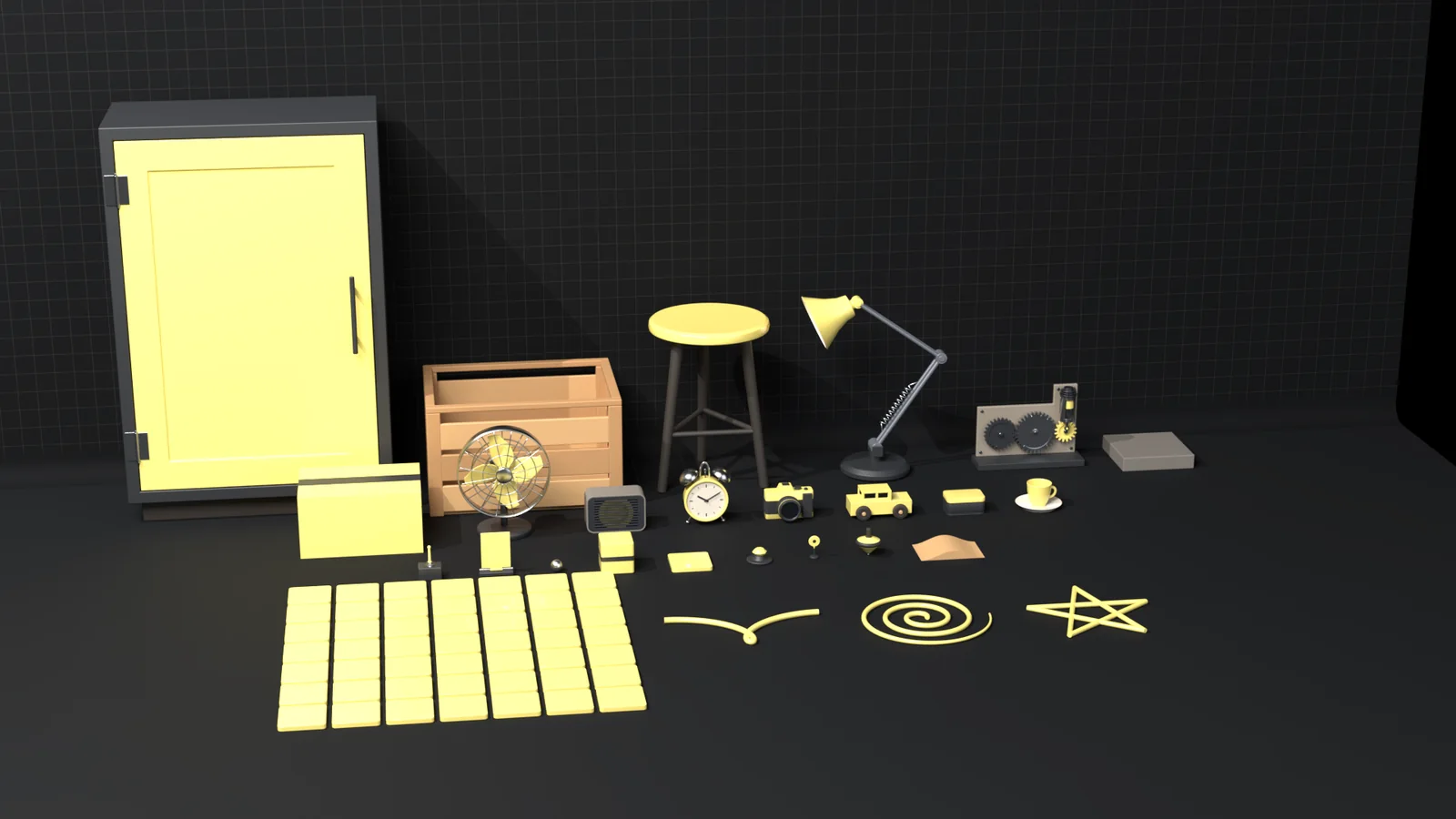
Our props at rest: each built to real size, with its pivot where the real one turns. Kinetic works the same on yours.

Every prop at rest on a dark stage: a cabinet door, a crate, a stool, a desk lamp, a gear train, a fan, a speaker, an alarm clock, a camera, a toy car, a tin, a cup, a spinning top, a grid of tiles and three wire shapes
Cabinet door, crate, stool, desk lamp, gear train, desk fan, speaker, alarm clock, camera, toy car, tin, cup, top, tiles and paths.
Get started

Get Kinetic.

For Blender

The Kinetic add-on v1.0.0

For Blender 4.4 or newer on Windows, macOS and Linux.

  1. Download the add-on.
  2. Drag the .zip onto Blender's window and press OK.
  3. Open the 4E tab in the sidebar, or use the Add menu.
In your browser

Kinetic Studio

The same engine as the add-on, linked to Blender both ways.

  1. Open it: nothing to install.
  2. Use a built-in prop or your own GLB.
  3. Send a recipe to Blender, or save it as a file.
Learn

The user guide

Short steps with pictures, from install to your first exported take.

  1. Your first animation, step by step.
  2. Each part of the window.
  3. Troubleshooting.
Questions

Good to know.

Which Blender versions does it support?

Blender 4.4 or newer, on Windows, macOS and Linux. Kinetic uses the action slots that Blender 4.4 introduced.

Does it change my own keyframes?

No. Kinetic writes to its own action on its own NLA track. Your action, your NLA tracks and your delta keys stay as they were, and Remove takes Kinetic's layer off.

Does it cover the twelve principles?

Yes. 12 layers handle squash and stretch, anticipation, follow-through, slow in and out, arcs, secondary action, timing and exaggeration. Staging has a framing camera and a silhouette view, solid drawing a volume check, and appeal comes from 9 moods and tuned recipes. Work pose to pose on your own keys, or straight ahead from a recipe.

Can I animate characters?

Kinetic animates objects and props: whole objects, their parts and collections. It does not pose a character rig.

How do I open it?

From the 4E tab in the 3D view's sidebar, from the Add menu, or by searching for Kinetic in Blender's search.

I used an earlier Kinetic. Where is the Ctrl+Shift+K pie menu?

It is still there, without a key of its own: open the Kinetic pie from the 4E tab or the Object menu (and the Quick panel and All Moves menu in the 4E tab). Open the window from the 4E tab, the Add menu or the search. To add your own key, right-click the Open button and pick Assign Shortcut.

Will it play the same in a game engine?

A take exports as GLB or FBX with six profiles: Unity (FBX or glTF), Unreal, Godot, the web and a generic GLB. The export check lists what would not carry over, with a one-click fix where there is one.

Can I use what I make commercially?

Yes. What you make with Kinetic is yours, for your own and your clients' work.

How do updates work?

Install the latest .zip the same way. Your settings stay. The changelog lists what changed.

How do I get help?

Email 4edesigner@gmail.com with your Blender version and what you did.